Archive and Restore Your Own Workspaces. No Ticket Required.
Take control of your own Relativity aiR workspace lifecycle. Archive finished matters without a support ticket, restore them when they return, and keep every request safely inside your domain.
A finished workspace shouldn’t stay active because an archive request is sitting in someone else’s queue. XArchive turns a provider-managed process into a simple, secure workflow your team can run itself.
Traditional Archiving
Open a support ticket
Wait for provider availability
Follow up for status
Workspace stays active while you wait
Open another ticket to restore it
Track archives separately
XArchive
Choose the workspace
Click Archive
Validation happens automatically
Follow progress live
Get notified when it’s complete
EASY TO USE
One Tab, Three Views, Everything you Need.
Workspaces
Every workspace in your domain, with an Archive button on each. Search by workspace or matter. Only your own workspaces appear — never another firm’s.
Archives
Every archive your firm has made, with its date and where it came from. Restore any of them in a couple of clicks, into the matter you choose.
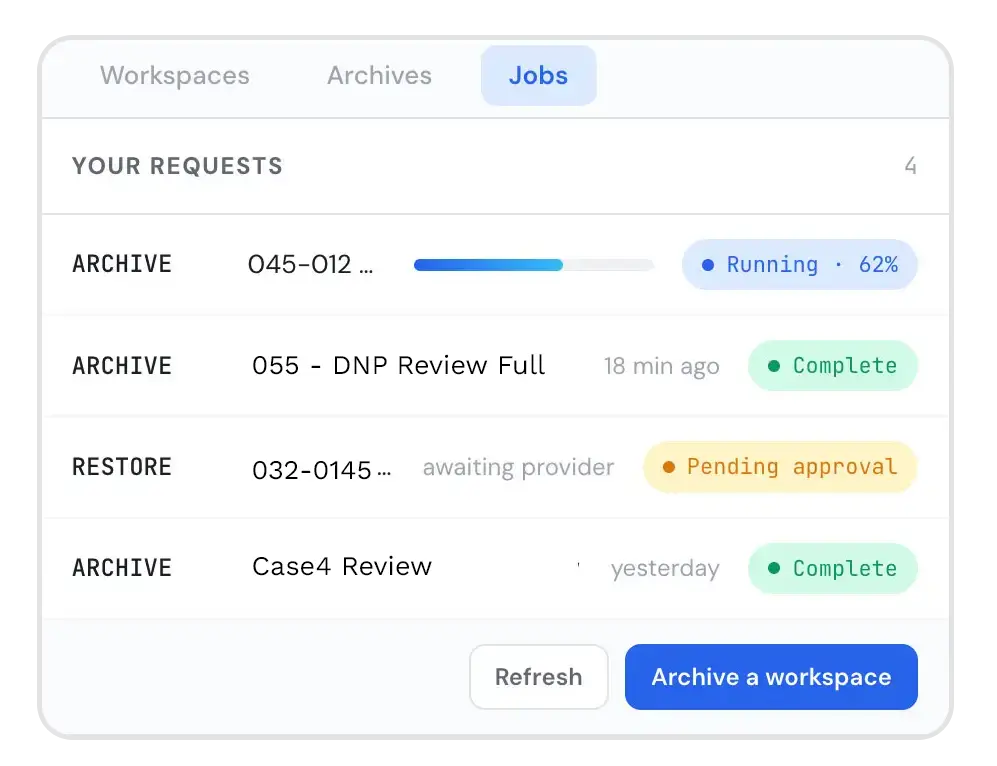
Jobs
Every request your firm has made, where it stands, and a plain-language history of what was checked. Ask IntrepidX for help straight from the request if you need assistance.
Straight Answers.
Does this change any Relativity permissions in our domain?
No. Your domain admins keep exactly the rights they have today. XArchive adds one tab and nothing else.
Who can archive, and who can restore?
Anyone your administrators add to the XArchive group can archive, with no further approval. Restores are requested the same way but run only after an IntrepidX administrator approves them, because a restore puts a workspace back on active billing.
How fast is an archive?
Your request is submitted at once, and Relativity runs the archive at its normal speed. The page updates on its own while it runs, and you get an email at the end.
Where do our archives go?
Into your firm’s own dedicated storage, separate from every other firm’s. The exact location is in your completion email.
Is it safe to let our team do this?
Yes. IntrepidX checks every request before anything runs. A request can only reach your own firm’s workspaces, each firm sees only its own archives, and Relativity’s audit records everything.
Where does our data go?
Nowhere new. XArchive runs entirely inside your Relativity aiR instance and uses Relativity’s own services. There is no outside system.
Ready to Take the Ticket Out of Archiving?
Manage your own workspace lifecycle without ARM access, provider queues or another system to learn.