
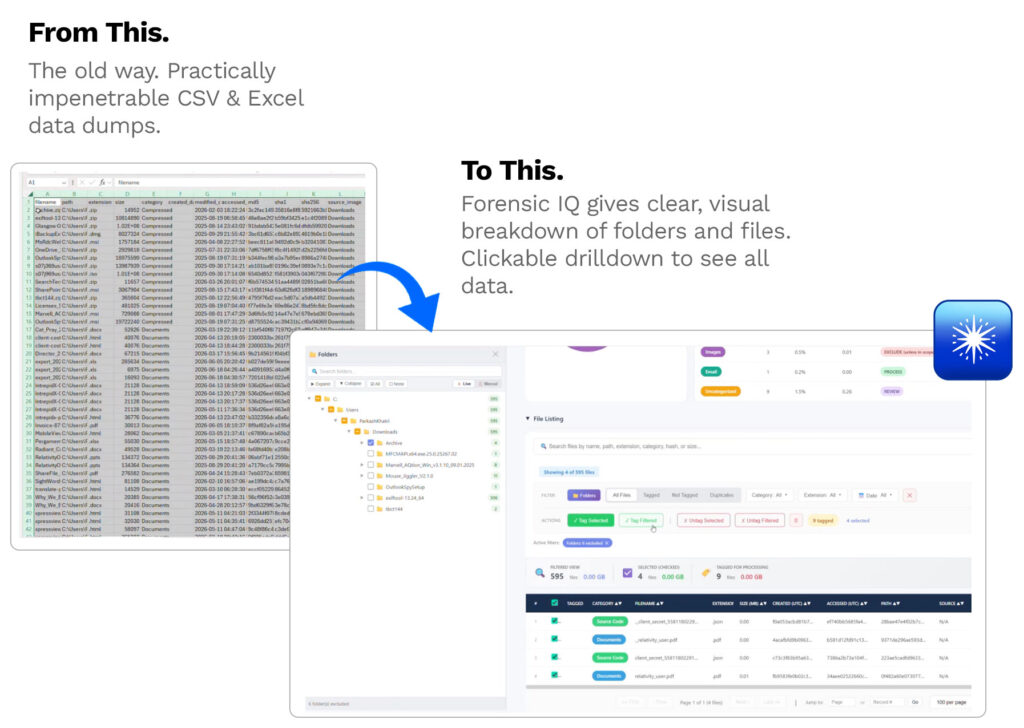
It’s been like this for far too long. Someone hands over a hard drive, a forensic image, or remote access to a server, and the first deliverable is a directory dump: a CSV or Excel file listing every file on the machine, dumped in one long, unreadable row after another. It’s the industry default — not because it’s good, but because nobody expected anything better.
The problem isn’t just that directory dumps are hard to read. It’s that they’re functionally useless for making real decisions. Even when someone manages to wade through thousands of rows and flag what looks relevant, there’s no way to act on that insight at a granular level. Collection tools generally only let you pull data at the folder level — so if the files you want are scattered across dozens of folders, you end up grabbing entire directories just to get the handful of documents that actually matter. You’re over-collecting by default, and paying processing costs on data nobody asked for.
ForensicIQ and Xtractor were built to close that gap — turning a blind, all-or-nothing collection process into something visual, selective, and predictable from the very first scan.
Seeing the Data Before You Pay for It
ForensicIQ connects to forensic images, local drives, network shares, and remote systems — including remote SSH scanning of servers across the world — and turns whatever it finds into a navigable, searchable structure instead of a flat list. It reads standard forensic formats like E01, AD1, and AFF4 natively, including encrypted Mac data and AD1 containers that normally require proprietary software to open.
Instead of one undifferentiated row per file, ForensicIQ automatically sorts everything into categories — user documents, archives, source code, system files — so reviewers can see at a glance what they’re actually dealing with. Filter by folder, file extension, date range, or category, and the tool updates a live cost projection as you go, calculated against per-gigabyte processing and hosting rates. Start at the full terabyte-level cost, narrow your selection, and watch the number drop in real time.
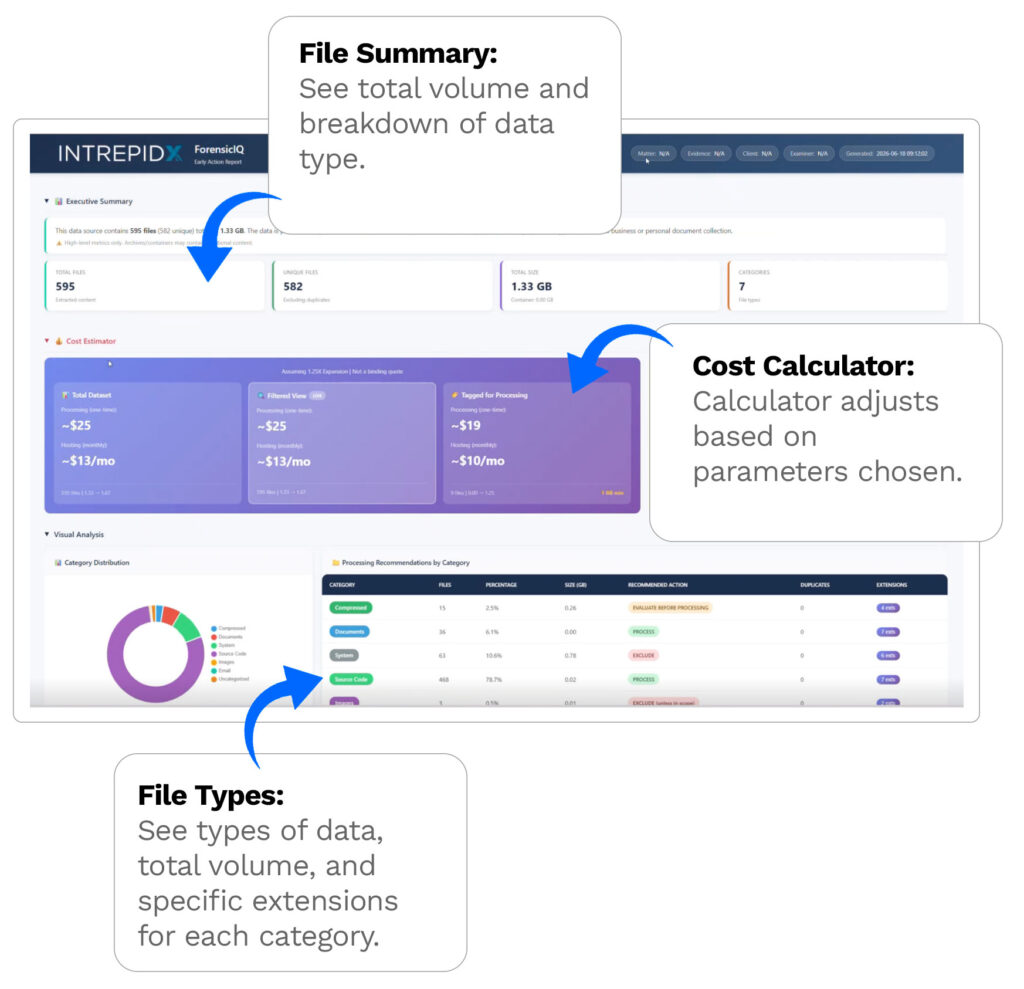
That visibility changes the conversation. Instead of guessing what’s worth processing, counsel and clients can look at the same report together and make that call with actual data in front of them — before committing a single gigabyte to expensive downstream processing. In one real engagement, that early visibility helped a client identify which fraction of a multi-terabyte remote server was actually worth pulling, cutting what got sent to processing by an order of magnitude.
From Visibility to Action
Identifying the right data is only half the problem — somebody still has to go get it. That’s where Xtractor comes in.
Where ForensicIQ shows you what’s there, Xtractor goes and retrieves exactly what you’ve selected. Tag files or folders in ForensicIQ, export that selection, and Xtractor reads it directly — matching it back to the original source and pulling only those files, whether that’s a single document buried six folders deep or every contract-related file across an entire image. No folder-level compromises, no manual re-collection.
Xtractor supports targeting by file name pattern, extension, date range, or folder path, and runs hash verification (MD5, SHA-1, SHA-256) during extraction to preserve chain of custody. The result is a clean, verified extraction — the actual original files, not a derivative or a summary — ready to load into Relativity or whatever platform comes next.
Why It Matters
Together, the two tools replace a process that used to be opaque, manual, and wasteful with one that’s visual and intentional at every step. Instead of processing a terabyte because that’s what arrived on the drive, teams process the 30 or 50 gigabytes that actually matter to the case. Instead of asking a client to interpret a CSV export, you hand them a report they can click through themselves.
It’s a shift from “process everything and sort it out later” to “know what you have before you spend a dollar on it” — and for teams managing tight budgets and tighter deadlines, that early clarity is the whole point.